Inspector 5 and the Elios 3 work hand-in-hand in a seamless, and continuous workflow to provide operational continuity throughout the inspection process.
Understand where to focus your maintenance efforts
Without the right data management solution, acting on raw drone data can be a real challenge, leading to approximative reporting, uncertain decisions, and sub-optimal maintenance planning.
Inspector 5 and the Elios 3 work hand-in-hand, where flight data is organised by asset and can be instantly visualised in a digital twin of your asset—with no additional processing.
Organise data by assets and inspections
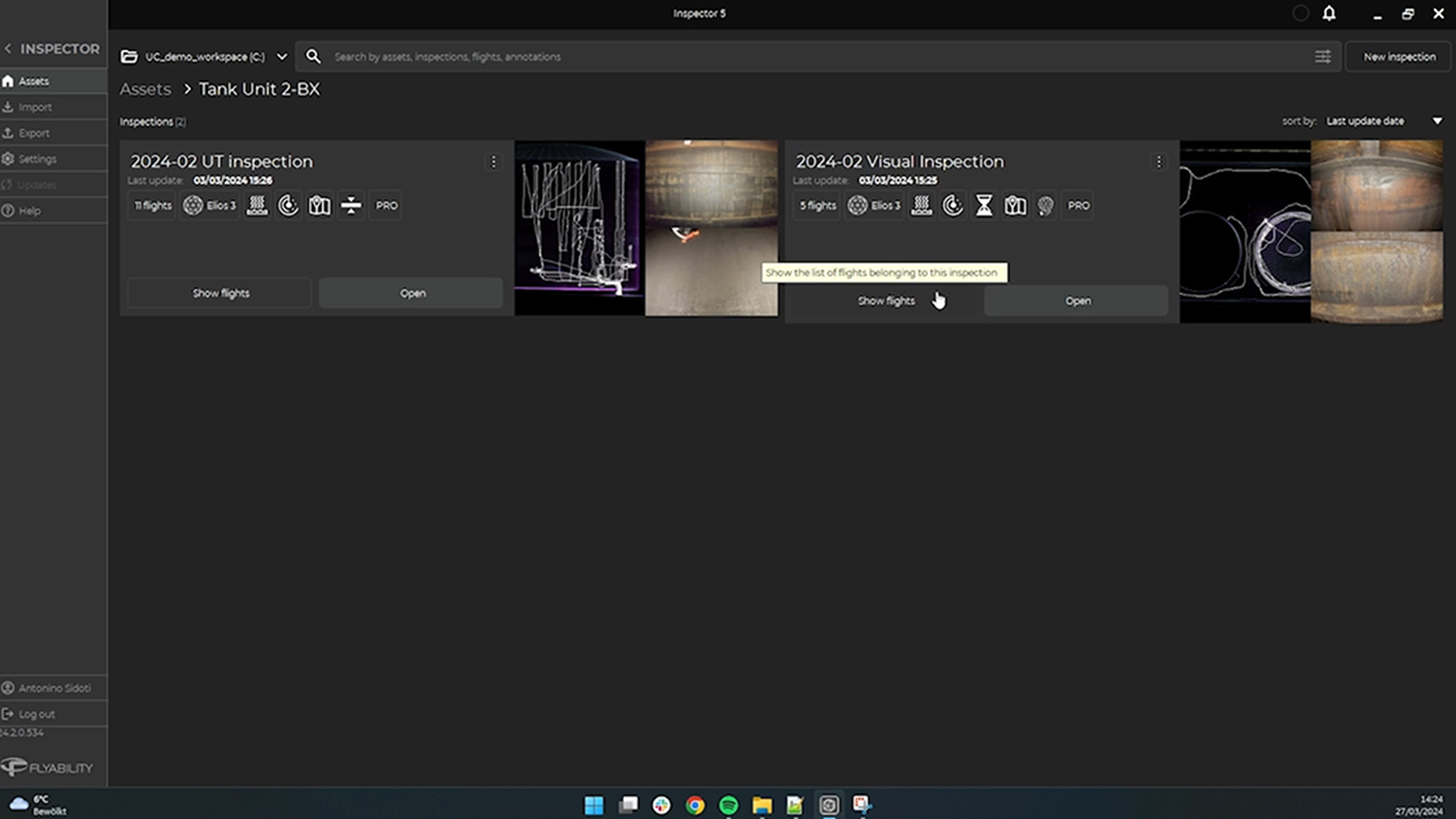
Inspector 5 comes with a fully re-designed user interface letting you organise your flight data by assets and inspections. With the introduction of workspaces, you can group multiple assets together by project, customers, plants, or any segmentation criteria you like.
This intuitive way of grouping flights allows you to easily navigate their inspection data ensuring intuitive accessibility as data enriches over time.
Localise defects on a digital twin of your asset
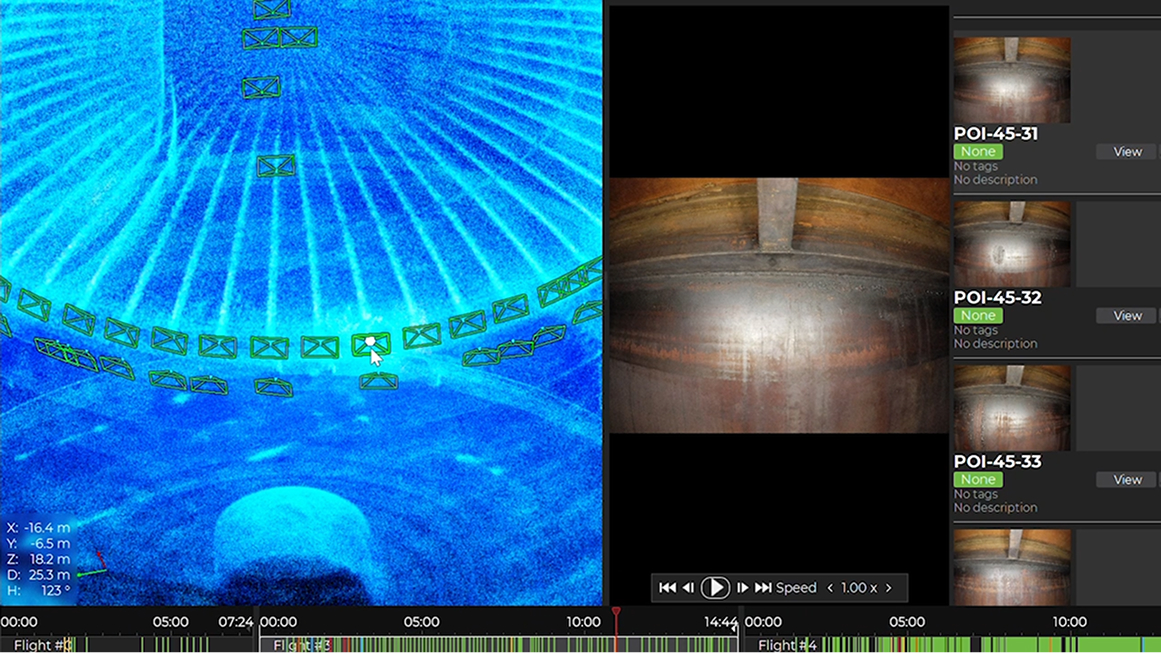
Visualise all data points from your flights in a high-resolution 3D map. Seamlessly navigate from one point to another by using the pan, rotate, and zoom functionalities.
Click on a point of interest to instantly access the corresponding video frame, allowing for precise correlation of inspection data with real-time visuals.
Precisely analyse defects
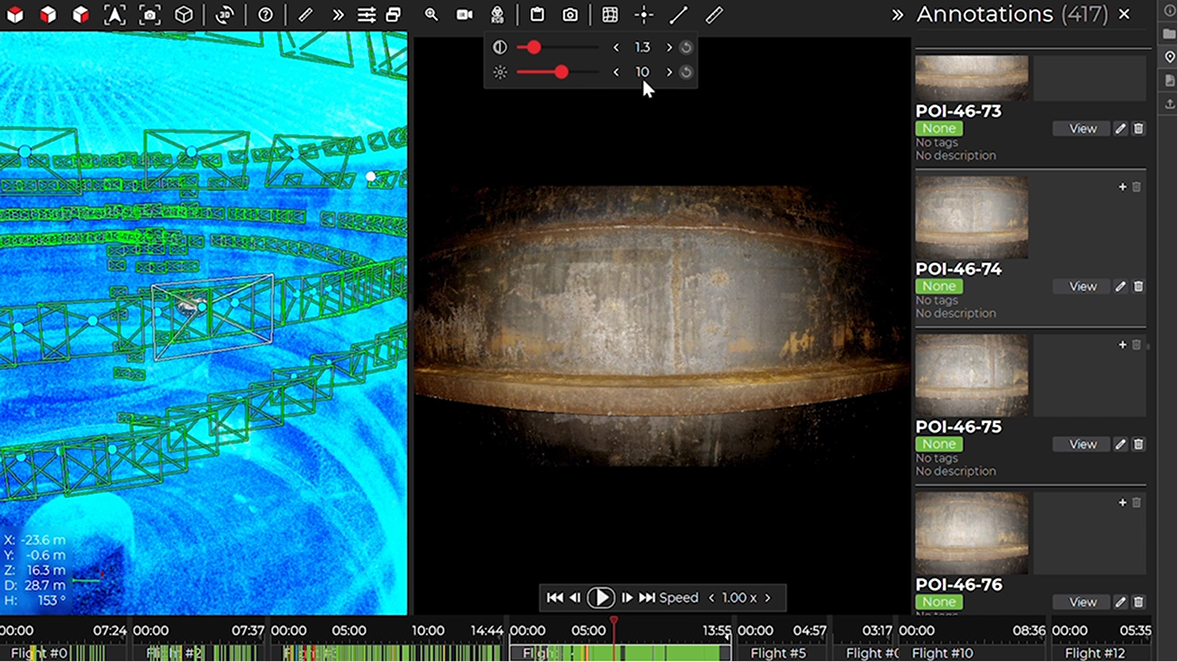
In the video player, screen through video frames to select the one that best shows your point of interest. Zoom in and adjust the lighting and contrast as needed to enhance the smallest visual details.
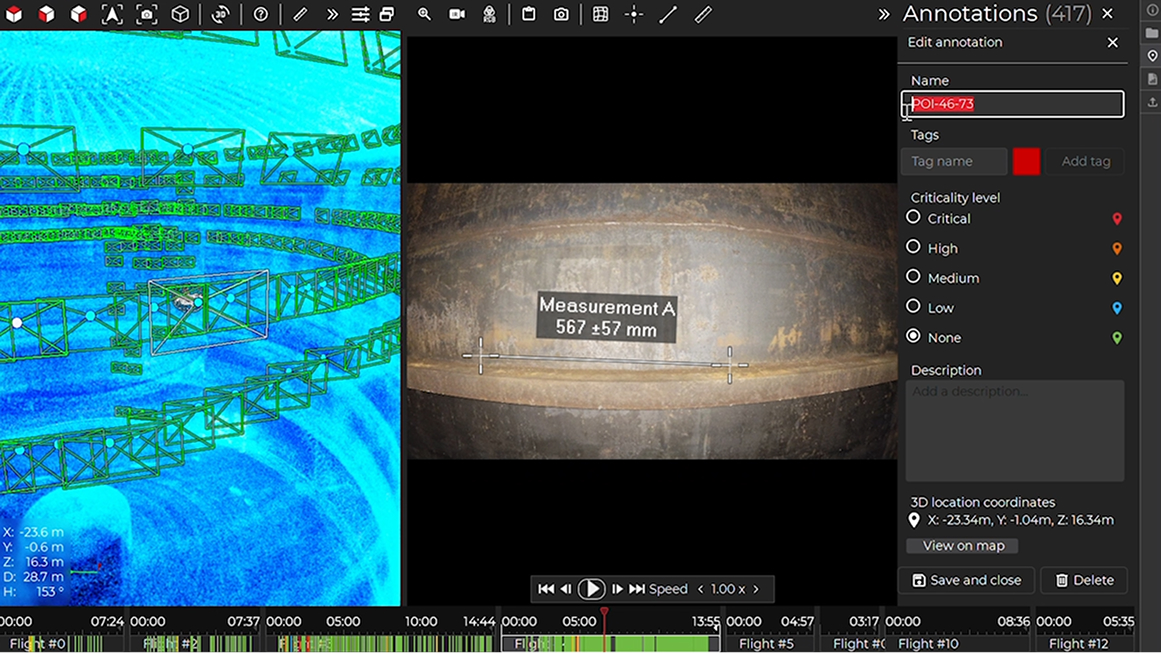
Utilise the Measurement tool to accurately size the defect.
Document and organise your POIs
Streamline your documentation workflow by recording your findings directly in the video player. Give your point of interest a name and a description, classify them by criticality and organise them with custom tags.
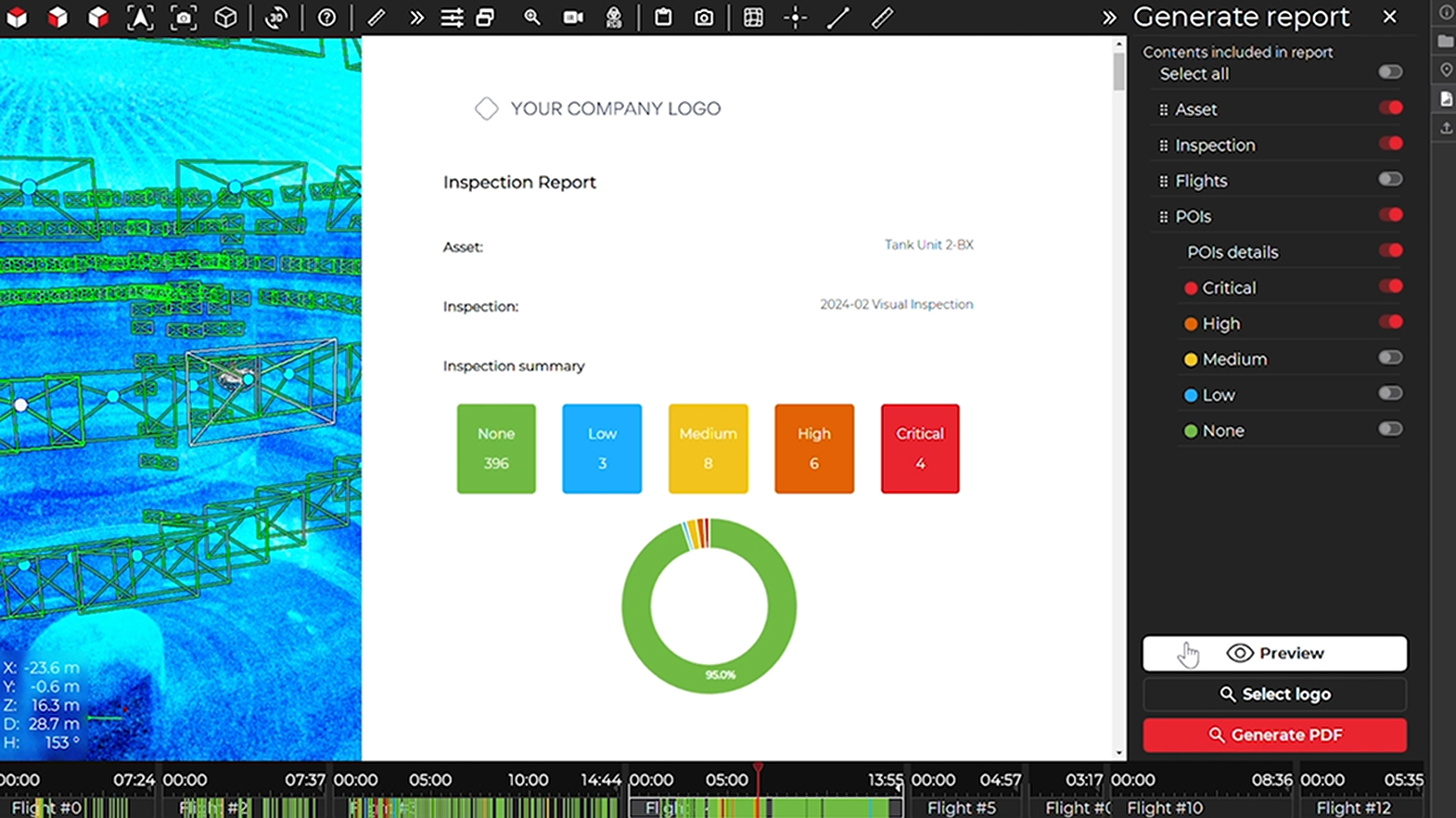
Share formatted reports
Compile your findings and insights into annotations. Filter and select the relevant information.
Add your logo and export your analysis into a neatly formatted PDF report facilitating sharing and distribution within your organisation or with your clients.
From flight-by-flight to inspection-wide reporting
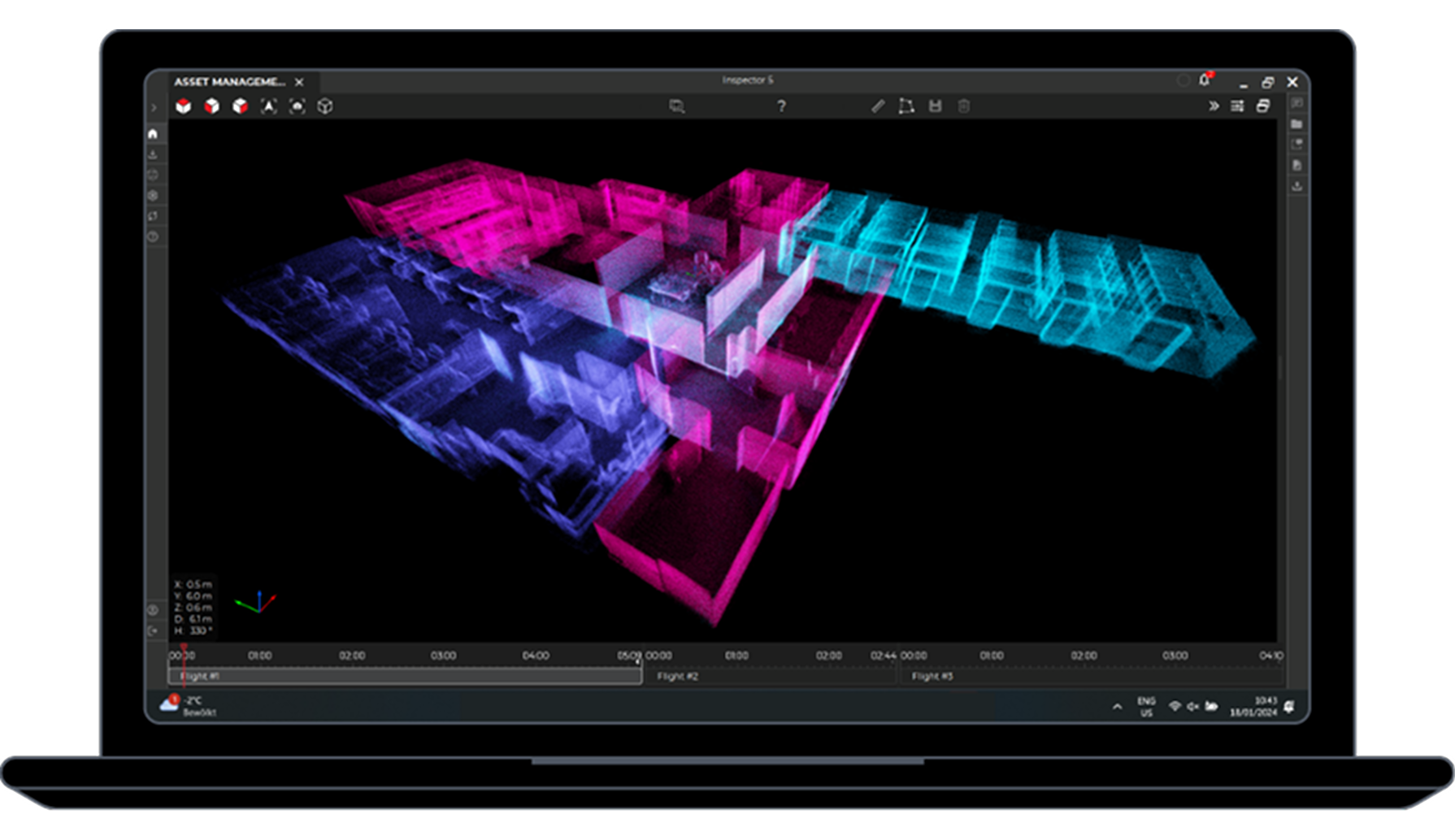
Combined with the Asset Management software extension, Inspector 5 allows you to automatically merge all data from an inspection into a single frame of reference giving you a comprehensive view of your assets’ condition.
Q&A
Request a Demo
Would love to see a demo? Share your contact details with us and our team will reach out to you shortly.